
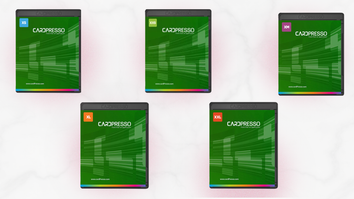
If you’re printing ID cards — whether for employees, students, visitors, or event badges — the right software can make all the difference. That’s where CardPresso comes in. As one of the most flexible and powerful ID card design and personalization platforms on the market, CardPresso works seamlessly with Evolis ID card printers and is available in multiple versions to fit needs from basic badge creation to advanced encoding and enterprise-level deployment.
In this post, we’ll walk through what CardPresso is, how it supports your card printing workflows, and dive into the different versions available so you can choose the right one for your business.
What Is CardPresso?
CardPresso is a professional ID card design and personalization software compatible with both macOS and Windows. It allows you to:
- Design attractive badges with text, photos, logos, and barcodes
- Print cards using predefined templates or custom layouts
- Connect to external databases for batch printing
- Encode magnetic stripes, RFID chips, and smart cards (depending on edition)
- Handle advanced data capture such as photo acquisition and recognition
User-friendly and scalable, CardPresso supports organizations of all sizes — from small businesses printing occasional visitor badges to large enterprises handling high-volume secure credentials.
CardPresso Editions — From Basic to Advanced
CardPresso is offered in a range of scalable editions, so you only pay for the features you need now — and can upgrade later if your requirements change.
1. XXS Edition — Basic Design & Print
The XXS edition is the entry-level version that gives you the fundamentals of card creation. It includes:
- Simple card layout and design tools
- Predefined templates
- Signature acquisition
- Internal document database
- 1D barcode support
- Image capture (WIA/TWAIN/DirectShow)
- Magnetic stripe encoding
Ideal for small teams or organizations just getting started, this edition covers the essentials of ID card production.
2. XS Edition — Enhanced Database Connectivity
The XS edition builds on the XXS version with useful upgrades such as:
- QR code generation
- Password-protected documents
- Production mode for efficient printing
- Support for external databases (XLS, XLSX, CSV, TXT)
If you work with lists of people or events stored in spreadsheets and need batch printing, XS is a strong next step.
3. XM Edition — Medium-Sized Prints with Photos
The XM edition adds features ideal for organizations that regularly process photo IDs:
- Local MS Access and SQLite database support
- Photo on database field
- FaceCrop tool for automatic face centering
- 2D barcode support
This edition strikes the perfect balance between ease of use and advanced personalization.
4. XL Edition — Advanced Features and Encoding
Stepping into more powerful capabilities, the XL edition includes:
- ODBC database connections
- RFID contactless and smartcard encoding
- Support for internal and external RFID encoders
- Multi-layout design support
- Conditional printing and auto-print workflows
Organizations focused on higher security and automation will find this version especially useful.
5. XXL Edition — Enterprise and Network-Ready
At the top level, XXL is built for enterprise environments with features like:
- Advanced encoding for DESFire and other high-security systems
- Web Print Server support for remote printing
- Network licensing (up to 16 PCs)
- Enhanced workflow and security features
This edition is designed for large institutions, multi-site deployments, and complex card issuance programs.
Why CardPresso Works Great with Evolis Printers
CardPresso has been tested with Evolis Zenius, Primacy, Avansia, Quantum, and many other Evolis models, ensuring perfect compatibility between your hardware and badge design workflow.
Whether you’re printing a handful of badges or issuing thousands with contactless encoding and database connections, CardPresso scales to meet your needs. Minor version updates ensure you always have access to the latest card technologies, and upgrades to higher editions are available online anytime.
Which Edition Should You Choose?
Here’s a quick guide to pick the right version:
- XXS – Best for basic card design & occasional printing
- XS – Great for spreadsheet integration and QR/barcodes
- XM – Ideal for photo ID workflows
- XL – Advanced encoding, automation, and security features
- XXL – Enterprise deployments with networking and high-security requirements
Because CardPresso is modular and upgradable, you can start with a version that fits your current needs and expand as your workflows grow.
Get Started with CardPresso at EvolisPrinter
Ready to upgrade your ID card workflow?
At EvolisPrinter, we stock all versions of CardPresso software and can help you choose the right edition for your organization’s needs — whether you’re designing basic badges or managing a secure, multi-user card issuance system.
Contact us today to learn more about CardPresso or to get started with your Evolis printer and software solution!