
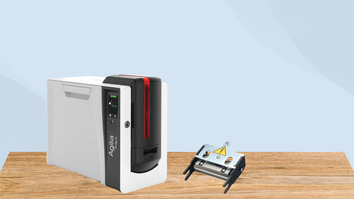
When your ID card printer starts producing poor-quality cards, the printhead is often the first place to look. As the component responsible for transferring images and text onto the card, the printhead plays a critical role in print clarity and consistency.
Because it’s also one of the most delicate parts of the printer, even minor issues can lead to noticeable defects like streaks, fading, or missing elements.
In this guide, we’ll cover the most common printhead problems, how to identify them, and what you can do to fix them.
What Does a Printhead Do?
The printhead is the part of your ID card printer that applies heat to the ribbon, transferring dye directly onto the card surface. This process requires extreme precision, which is why even small amounts of dust, debris, or wear can impact print quality.
Signs Your Printhead May Be Failing
If your printer isn’t producing clean, professional-looking cards, your printhead could be the issue. Watch for these common warning signs:
- Lines or streaks on cards – Consistent horizontal or vertical lines often point to debris or damage on the printhead
- Uneven or faded printing – Inconsistent color or light areas may indicate buildup or overheating issues
- Missing print sections – Gaps in text or images can signal damaged heating elements
- Printer error messages – Many printers will display alerts when printhead problems are detected
What Causes Printhead Problems?
Understanding the root cause can help you prevent future issues. Some of the most common causes include:
- Dirt and Debris- Dust, ribbon residue, and tiny particles from cards can accumulate on the printhead, interfering with proper heat transfer.
- Improper Handling- Touching the printhead with your fingers can transfer oils that affect performance and lead to print defects.
- Low-Quality Supplies- Using subpar or incompatible ribbons and cards can increase wear and tear on the printhead.
- Normal Wear and Tear- Over time, printheads naturally degrade due to repeated heating cycles, eventually requiring replacement.
How to Diagnose the Issue
Before attempting any repairs, take a few simple steps to confirm the problem:
- Visually inspect the printhead for dust, scratches, or buildup
- Check your ribbon for wrinkles, damage, or improper installation
- Run a test print to identify patterns in defects (lines, fading, or gaps)
These steps can help you determine whether the issue is with the printhead or another component.
How to Fix Printhead Issues
Cleaning the Printhead
In many cases, a simple cleaning can restore print quality.
- Turn off the printer and allow it to cool
- Use a manufacturer-approved cleaning kit
- Gently wipe the printhead with a cleaning swab
- Avoid applying excessive pressure or using harsh chemicals
Routine cleaning is one of the easiest ways to prevent long-term damage.
Replacing the Printhead
If cleaning doesn’t resolve the issue, the printhead may be permanently damaged.
- Ensure you purchase the correct replacement for your printer model
- Follow installation instructions carefully
- Run calibration or alignment processes after installation
Replacing a printhead can significantly improve print quality when damage is present.
Tips to Prevent Future Printhead Issues
Keeping your printhead in good condition doesn’t take much effort, but it does require consistency:
- Clean your printer regularly
- Store supplies in a clean, dust-free environment
- Handle cards and components carefully
- Use high-quality, compatible ribbons and cards
- Avoid overusing the printer without routine maintenance
Contact us today
Printhead issues are one of the most common causes of poor ID card print quality—but they’re also one of the most manageable. With proper maintenance, quality supplies, and timely troubleshooting, you can extend the life of your printhead and keep your printer running smoothly.
If your printer is still not performing as expected, contact us today to speak with an expert to fix your printhead issues.