
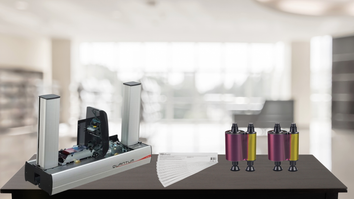
Keeping your Evolis Quantum 2 printer running smoothly starts with proper ribbon installation. Whether you’re replacing an empty ribbon or upgrading to a new type, following these simple steps ensures crisp, high-quality prints every time.
What You’ll Need
- Evolis Quantum 2 printer
- Replacement ribbon compatible with your printer model
- A clean, dry workspace
Step-by-Step Guide to Installing the Ribbon
1. Open the Printing Module Cover
Start by gently opening the cover of the printer’s printing module. This exposes the area where the ribbon sits and allows easy access for installation.
2. Remove the Old Ribbon (if applicable)
If there is a ribbon already installed, carefully remove it. Dispose of used ribbons properly to avoid contamination or damage inside the printer.
3. Prepare the New Ribbon
Take your new ribbon out of its packaging. Avoid touching the surface of the ribbon to prevent smudges or fingerprints.
4. Install the Ribbon
- Align the ribbon with the printer’s ribbon guides.
- Make sure the ribbon is properly seated, with the print side facing the correct direction according to the printer instructions.
- Some ribbons may have arrows or labels to indicate the correct orientation—double-check before closing the cover.
5. Close the Printing Module Cover
Once the ribbon is securely in place, close the printing module cover. The printer should automatically recognize the new ribbon and be ready to print.
Tips for Optimal Ribbon Usage
- Store ribbons in a cool, dry place to prevent damage.
- Check ribbon type compatibility—using the wrong ribbon can cause poor print quality or printer errors.
- Clean your printer regularly to avoid debris affecting ribbon performance.
With your new ribbon installed, your Evolis Quantum 2 is ready to produce vibrant, professional-quality ID cards again. Following these simple steps helps extend the life of your printer and ensures consistent print results. If you are still having trouble or have more questions about the Quantum 2, contact us today to speak with an expert.