
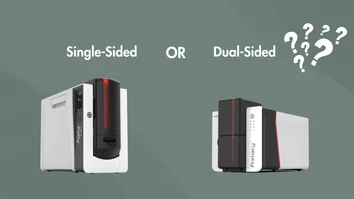
Choosing a new ID card printer involves more than selecting a brand or print quality. One of the first decisions you'll need to make is whether a single-sided or dual-sided printer is the better fit for your organization.
Both options produce professional-looking ID cards, membership cards, visitor badges, and access control credentials, but the right choice depends on how much information you need to print, your production volume, and your future needs.
Here's what you should consider before investing in an Evolis ID card printer.
What Is a Single-Sided ID Card Printer?
A single-sided ID card printer prints on only one side of a PVC card during a print job. If information is needed on the back of the card, it must be manually flipped and reinserted into the printer.
Single-sided printers are often a great solution for organizations with straightforward badge requirements.
Benefits of Single-Sided Evolis Printers
- Lower initial investment
- Simple operation
- Fast printing for front-only cards
- Compact footprint for smaller workspaces
- Ideal for low- to medium-volume printing
Single-sided printers work well for:
- Employee photo IDs
- Visitor badges
- Temporary credentials
- Basic membership cards
- Loyalty cards
If your card design only includes a photo, name, company logo, and employee information on the front, a single-sided printer may provide everything you need.
What Is a Dual-Sided ID Card Printer?
A dual-sided printer automatically prints both sides of a card in a single pass. After printing the front, the printer flips the card internally and prints the back without requiring any user intervention.
This automation improves efficiency while allowing organizations to include more information on each card.
Benefits of Dual-Sided Evolis Printers
- Automatic two-sided printing
- Increased productivity
- Eliminates manual card flipping
- More space for card information
- Professional, consistent results
Organizations commonly use the back of the card for:
- Barcodes
- QR codes
- Emergency contact information
- Company policies
- Signature panels
- Access instructions
- Magnetic stripes
- Additional branding
Which Option Saves More Time?
For organizations printing only a few cards each month, manually flipping cards may not be a significant inconvenience.
However, if you're printing dozens or hundreds of cards on a regular basis, a dual-sided printer can dramatically reduce production time by completing both sides automatically.
Human error is also minimized since cards don't need to be manually reinserted.
Consider Your Card Design
One of the easiest ways to choose between single-sided and dual-sided printing is to evaluate your badge layout.
A single-sided printer may be sufficient if your cards include:
- Employee photo
- Name
- Company logo
- Department
- Job title
A dual-sided printer is often the better choice if your cards also include:
- Terms and conditions
- Emergency procedures
- Barcode or QR code
- Facility maps
- Access instructions
- Membership details
- Contact information
Having additional space helps keep the front of the badge clean and easy to read.
Think About Future Growth
Many organizations purchase a printer based on their current needs, only to discover they require additional functionality a year or two later.
Questions to consider include:
- Will your employee count grow?
- Do you expect to add access control badges?
- Will you need barcodes or QR codes later?
- Could compliance requirements change?
- Are you planning to expand your credential program?
Planning for future requirements can help you avoid replacing your printer sooner than expected.
Evolis Printers That Offer Both Options
Several Evolis printer models are available in both single-sided and dual-sided configurations, allowing organizations to choose the option that best matches their needs and budget.
Many models also support upgrades, making it possible to add dual-sided printing later instead of replacing the entire printer. This provides flexibility for organizations whose badge programs may expand over time.
Other Features to Consider
While choosing between single-sided and dual-sided printing is important, you should also evaluate other printer features, including:
- Print volume
- Print speed
- Encoding options
- Card hopper capacity
- Print resolution
- Lamination capabilities
- Software compatibility
- Network connectivity
Selecting the right combination of features ensures your printer meets both your current and future credentialing needs.
Which Printer Is Right for Your Organization?
A single-sided Evolis printer is often the best choice if you:
- Print relatively few cards
- Only need information on the front
- Have a limited budget
- Want a simple badge printing solution
A dual-sided Evolis printer may be the better investment if you:
- Print cards regularly
- Need information on both sides
- Want faster production
- Expect your credential program to grow
- Prefer a more automated workflow
Contact us today
Both single-sided and dual-sided Evolis printers produce high-quality, professional ID cards. The best choice depends on how your organization uses its credentials today—and how those needs may evolve in the future.
If your cards require only basic identification, a single-sided printer can provide an efficient and cost-effective solution. For organizations that need additional space, greater productivity, or room for future expansion, a dual-sided printer offers added convenience and flexibility while streamlining the entire card issuance process.
The experts at Evolis Printer can help you compare single-sided and dual-sided models to find the best fit for your organization's needs and budget. Contact us today for personalized recommendations and expert guidance on your next ID card printing solution.