
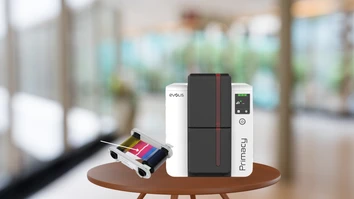
A cut or torn ribbon can bring an ID card printing job to an unexpected stop. While a damaged ribbon may look like it needs to be replaced immediately, in many cases, you can repair the ribbon and get your Evolis printer back to work. Understanding why ribbons tear and how to safely address the problem can also help prevent it from happening again.
Why Does an Evolis Printer Ribbon Tear?
There are several reasons an Evolis ribbon may become cut or torn during printing. One common cause is dust, debris, or residue inside the printer, particularly around the rollers. Regular cleaning is important because buildup can interfere with the movement of the ribbon and cards. Evolis recommends following the appropriate cleaning cycle for your printer to maintain print quality and proper operation.
Other potential causes include:
- A ribbon that was not installed correctly
- A dirty printer or rollers
- Cards that are dirty or contaminated
- A ribbon that has become damaged
- An issue with ribbon movement or winding
- A mechanical problem within the printer
If the ribbon continues to tear after being repaired, the underlying cause should be investigated rather than repeatedly repairing the ribbon.
How to Repair a Torn Evolis Ribbon
Before working inside the printer, turn it off and disconnect it from its power supply. This helps prevent accidental movement of internal components while you inspect or remove the ribbon.
The step-by-step process for repairing a torn ribbon depends on your specific Evolis printer model. In general, the process may include:
- Open the printer and remove the ribbon.
- Check the printer for pieces of torn ribbon or cards that may be stuck inside.
- Place the ribbon on a clean, flat surface and locate both broken ends.
- Trim any jagged or damaged portions so the ends are as straight as possible.
- Carefully reconnect the two ends using an appropriate repair method for your printer and ribbon.
- Wind the ribbon forward until the repaired section is properly positioned.
- Reinstall the ribbon and close the printer.
- Clean the printer before resuming regular printing.
Because ribbon construction and printer mechanisms can vary, always consult the user guide for your specific Evolis printer model for the correct repair and reinstallation instructions.
Clean Your Evolis Printer After a Ribbon Break
A torn ribbon is a good reason to perform a cleaning cycle. Ribbon fragments and other debris can remain inside the printer and potentially cause additional printing or feeding problems.
Evolis recommends regular cleaning to maintain print quality and proper printer operation. Advanced cleaning may also be recommended after persistent card jams, poor print quality, periods of inactivity, or when operating in dusty conditions.
Keeping the printer clean can also help reduce the likelihood of future ribbon problems.
What If the Ribbon Keeps Breaking?
If you repair the ribbon and it tears again, don't simply continue taping it back together. Repeated ribbon breaks could indicate a problem with the printer, its rollers, ribbon installation, or the consumable itself.
Try these troubleshooting steps:
- Confirm that the ribbon is installed correctly.
- Clean the printer and rollers.
- Check for pieces of ribbon or debris inside the printer.
- Make sure you're using the correct ribbon for your Evolis printer.
- Try a new ribbon to determine whether the problem is related to the consumable.
- Check that the printer's firmware and drivers are up to date.
- If the problem continues, contact a qualified service provider for assistance.
Using genuine Evolis High Trust consumables is also recommended by Evolis, which states that its ribbons are tested and validated for its card printers and designed to provide reliable printing performance.
Preventing Future Ribbon Breaks
Regular maintenance is one of the best ways to keep your Evolis printer operating reliably. Follow the manufacturer's recommended cleaning schedule, keep cards protected from dust and contamination, and make sure ribbons are installed correctly.
It's also important not to ignore recurring printer problems. A ribbon that repeatedly breaks may be an early indication that the printer needs professional service.
Keep Your Evolis Printer Running Smoothly
A torn ribbon doesn't necessarily mean you need to throw the ribbon away and start over. In many cases, the ribbon can be carefully repaired, the printer cleaned, and printing resumed. However, recurring ribbon breaks should be addressed to determine whether there is a larger issue with the printer.
Need help troubleshooting your Evolis ID card printer? Contact us for assistance with printer supplies, maintenance, troubleshooting, and finding the right solution for your ID card printing needs.